Using Literate.jl
import PythonPlot as plt
using Random
Random.seed!(2022)Random.TaskLocalRNG()plt.figure()
plt.plot(1:5, rand(1:6, 5))
plt.gcf()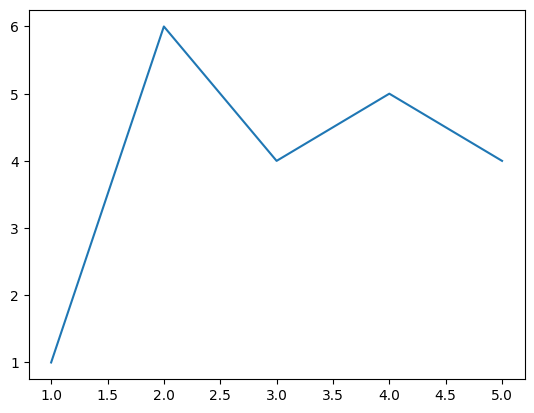
Runtime information
import Pkg
Pkg.status()
Status `~/work/template-juliabook-matrix/template-juliabook-matrix/Project.toml`
[682c06a0] JSON v1.3.0
[98b081ad] Literate v2.21.0
[91a5bcdd] Plots v1.41.3
[274fc56d] PythonPlot v1.0.6
import InteractiveUtils
InteractiveUtils.versioninfo()
Julia Version 1.12.3
Commit 966d0af0fdf (2025-12-15 11:20 UTC)
Build Info:
Official https://julialang.org release
Platform Info:
OS: Linux (x86_64-linux-gnu)
CPU: 4 × Intel(R) Xeon(R) Platinum 8370C CPU @ 2.80GHz
WORD_SIZE: 64
LLVM: libLLVM-18.1.7 (ORCJIT, icelake-server)
GC: Built with stock GC
Threads: 4 default, 1 interactive, 4 GC (on 4 virtual cores)
Environment:
JULIA_CPU_TARGET = generic;icelake-server,clone_all;znver3,clone_all
JULIA_CONDAPKG_OFFLINE = true
JULIA_CONDAPKG_BACKEND = Null
JULIA_CI = true
LD_LIBRARY_PATH = /opt/hostedtoolcache/Python/3.14.2/x64/lib
JULIA_NUM_THREADS = auto
JULIA_PYTHONCALL_EXE = /opt/hostedtoolcache/Python/3.14.2/x64/bin/python
This notebook was generated using Literate.jl.