Sources:
using Plots
using Random
Random.seed!(2024)Random.TaskLocalRNG()Ticks size and properties
plot(sin, 0, 2π;
    xticks=0:0.5:2π,
    xrotation=60,
    xtickfontsize=25,
    bottom_margin=15Plots.mm)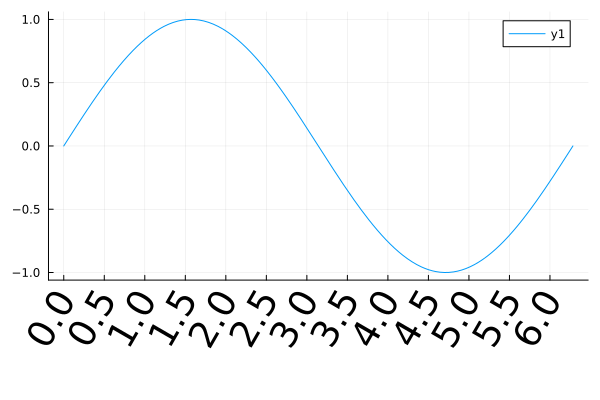
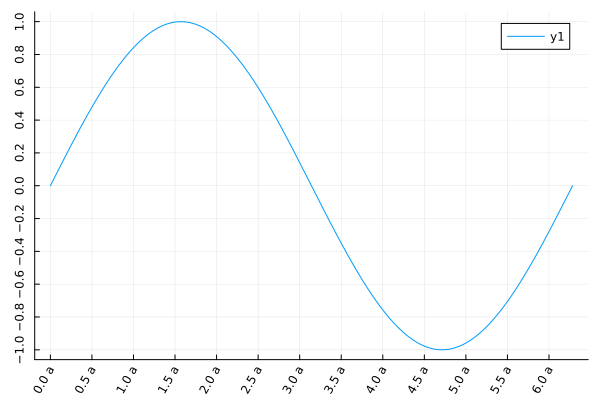
plot(sin, 0, 2π;
    xtick=(0:0.5:2π, ["$i a" for i in 0:0.5:2π]),
    ytick=-1:0.2:1,
    xrotation=60,
    yrotation=90,
)
No axis
axis=false
plot(sin, 0, 2π, axis=false)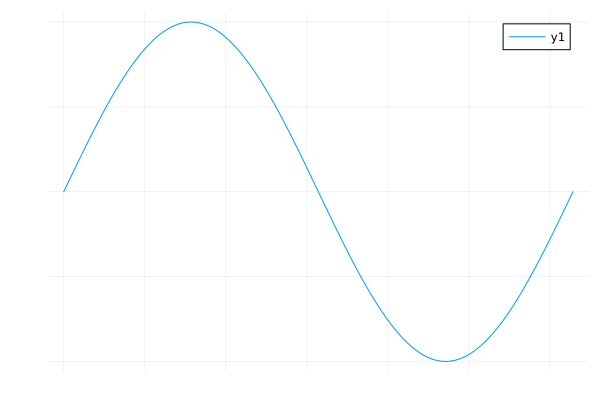
Log scale for axes
xscale=:log10, yscale=:log10
plot(exp, -5, 5, yscale=:log10, title="semilogy", legend=nothing)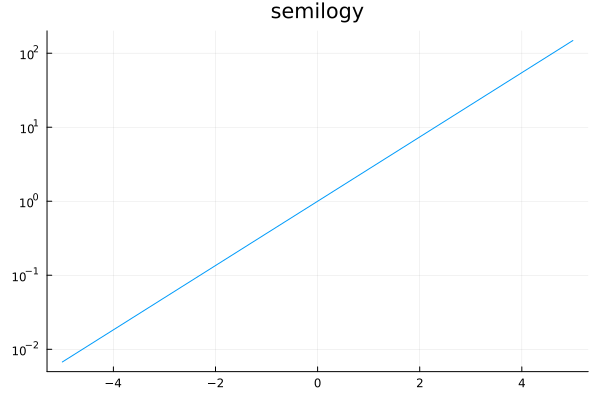
plot(log, 1e-5, 10, xscale=:log10, title="semilogx", legend=nothing)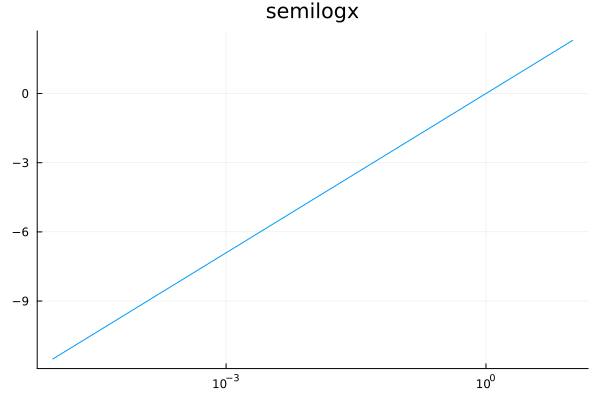
plot(x->x^1.7, 1e-3, 3, scale=:log10, title="log-log", label="x^(1.7)", legend=:topleft)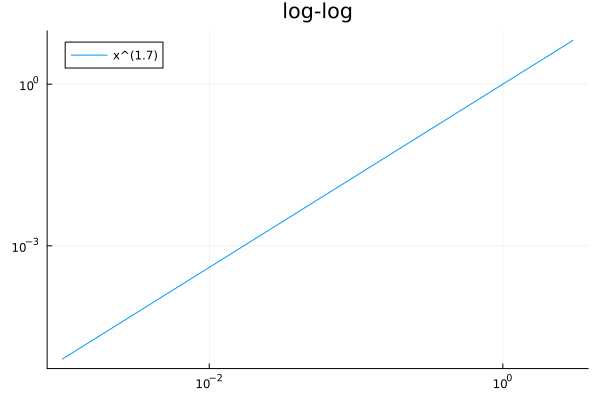
Axis range
xlims and ylims
plot(sin, 0, 2π, xlims=(-10, 10), ylims=(-2,2))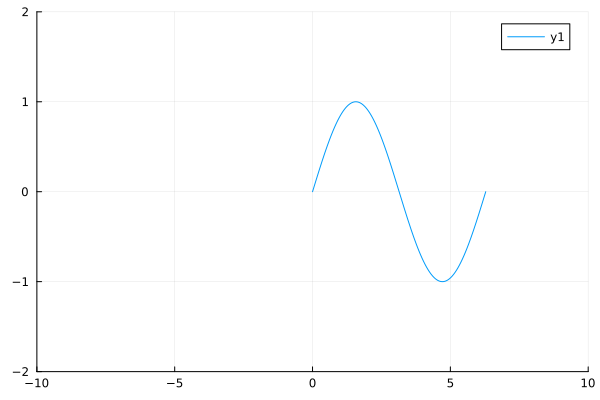
Scientific notation
yformatter=:scientific
plot(exp, 0, 10, yformatter=:scientific)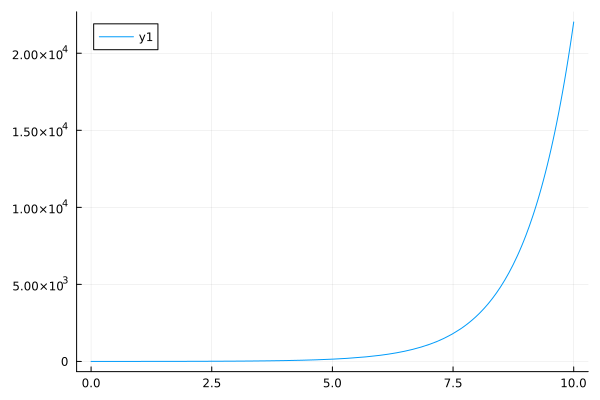
Flip
xflip=true and/or yflip=true
plot(identity, 0:0.01:2π, proj=:polar, xflip=true, yflip=true, legend=false)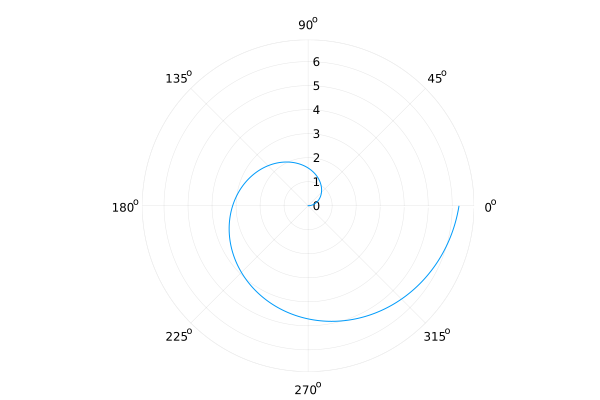
Aspect ratio
aspect_ratio=:equal or aspect_ratio=<number>
heatmap(bitrand(10, 10), aspect_ratio=:equal, c=:blues, colorbar=false)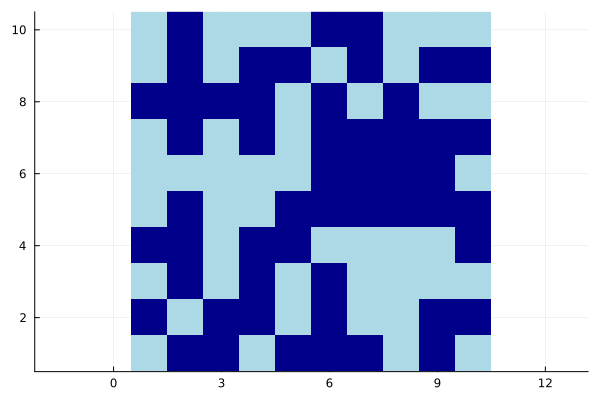
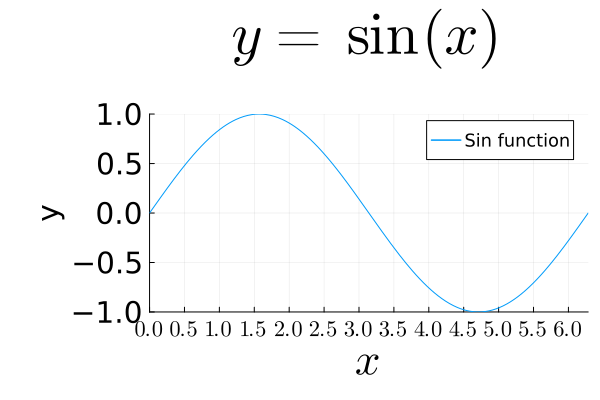
Fonts
LaTeX fonts are supported by the LaTeXStrings.jl package.
using Plots
using LaTeXStrings

plot(sin, 0, 2π,
    title=L"y = \sin(x)",
    titlefont=font(40), ## title

    xlabel=L"x",
    ylabel="y",
    xguidefontsize=30, ## x-guide
    yguidefontsize=20, ## y-guide
    # guidefontsize=20, ## both x,y-guide

    xtick=(0:0.5:2π, ["\$ $(i) \$" for i in 0:0.5:2π]),
    ytick=-1:0.5:1,
    xtickfontsize=15,
    ytickfontsize=20,
    # tickfontsize=10, ## for both x and y

    label="Sin function",
    legendfontsize=12,

    xlims=(0,2π),
    ylims=(-1,1),
    bottom_margin=5Plots.mm,
    left_margin=10Plots.mm,
    top_margin=15Plots.mm
)
fib(x) = (((1+sqrt(5))/2)^x - ((1-sqrt(5))/2)^x)/sqrt(5)

ann = L"F_n = \frac{1}{\sqrt{5}} \left[\left( \frac{1+\sqrt{5}}{2} \right)^n - \left( \frac{1-\sqrt{5}}{2} \right)^n \right]"

plot(fib, 1:12, marker=:circle, xlabel=L"n", ylabel=L"F_n", annotation=(5, 100, ann))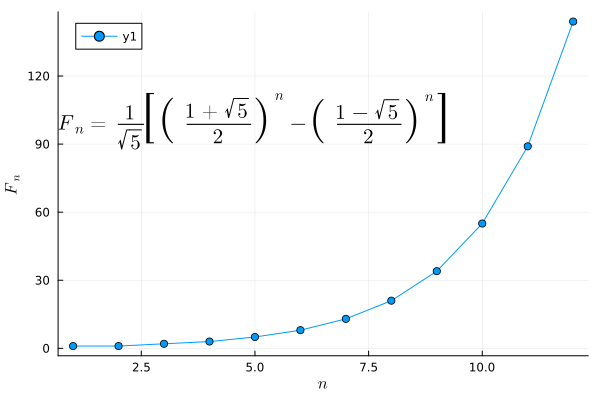
Bar plots
using Plots
using StatsPlots
using StatsBase
measles = [38556, 24472, 14556, 18060, 19549, 8122, 28541, 7880, 3283, 4135, 7953, 1884]
mumps = [20178, 23536, 34561, 37395, 36072, 32237, 18597, 9408, 6005, 6268, 8963, 13882]
chickenPox = [37140, 32169, 37533, 39103, 33244, 23269, 16737, 5411, 3435, 6052, 12825, 23332]
ticklabel = string.(collect('A':'L'))12-element Vector{String}:
"A"
"B"
"C"
"D"
"E"
"F"
"G"
"H"
"I"
"J"
"K"
"L"Grouped vertical bar plots
Requires the StatsPlots.jl package.
groupedbar(data, bar_position = :dodge)
groupedbar([measles mumps chickenPox], bar_position = :dodge, bar_width=0.7, xticks=(1:12, ticklabel), label=["measles" "mumps" "chickenPox"])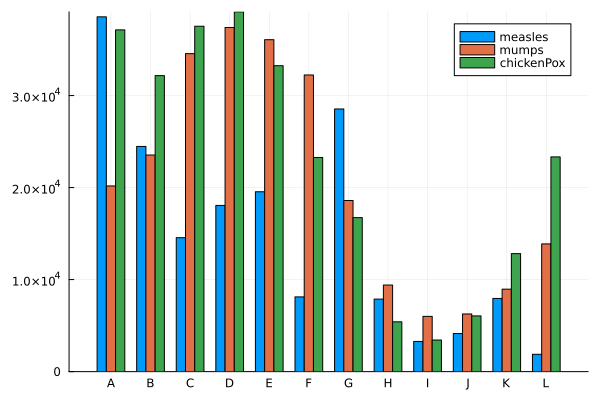
Stacked vertical bar plots
Requires StatsPlots package.
groupedbar(data, bar_position = :stack)
groupedbar([measles mumps chickenPox],
        bar_position = :stack,
        bar_width=0.7,
        xticks=(1:12, ticklabel),
        label=["measles" "mumps" "chickenPox"])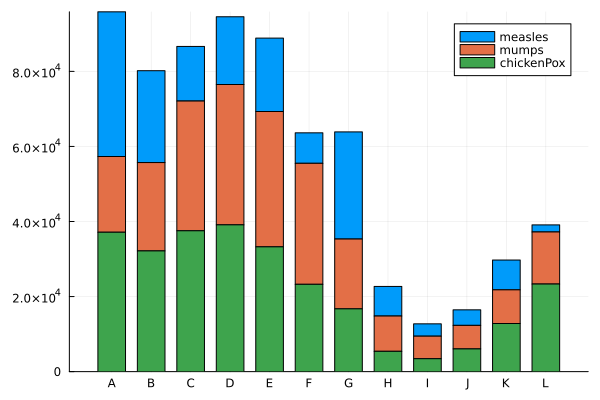
Horizontal Bar Plot
bar(data, orientation=:h)
bar(1:12, orientation=:h, yticks=(1:12, ticklabel), yflip=true)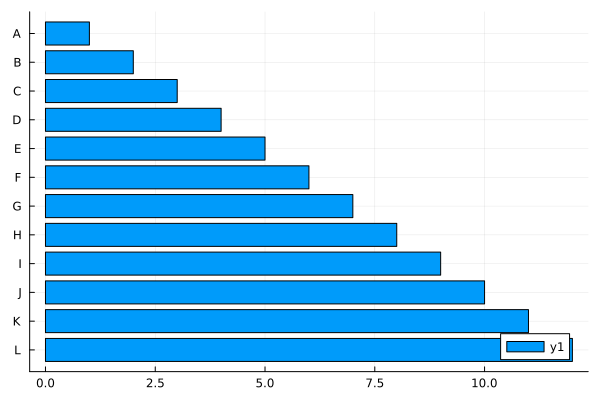
Categorical Histogram Plot
status = ["Poor", "Fair", "Good", "Excellent"]
data = sample(status, Weights([1,1,2,2]), 100)
datamap = countmap(data)

bar((x -> datamap[x]).(status), xticks=(1:4, status), legend=nothing)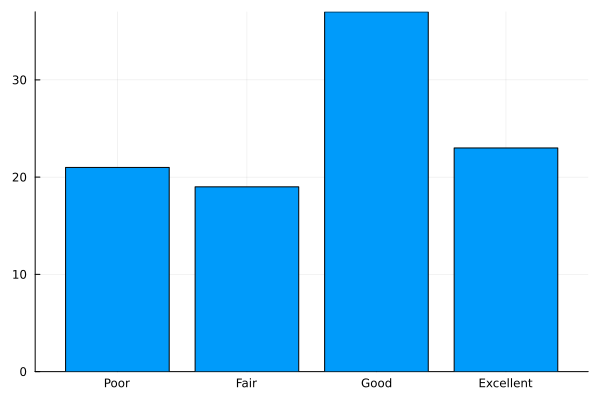
Histogram
histogram(data, bins=N)
using Plots

x = randn(1000)
y = randn(1000)
z = randn(1000)

histogram(x, bins=20, alpha=0.4, label="A")
histogram!(y, bins=20, alpha=0.4, label="B")
histogram!(z, bins=20, alpha=0.4, label="C")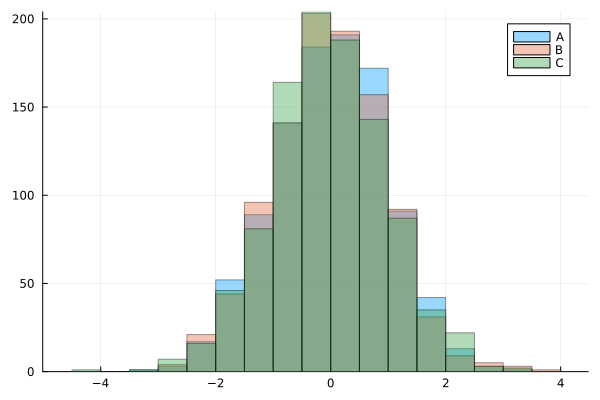
Box plots
using Plots
using StatsPlots
using Statistics

n = 30
science = rand(1:10, n)
boxplot(science, label="science")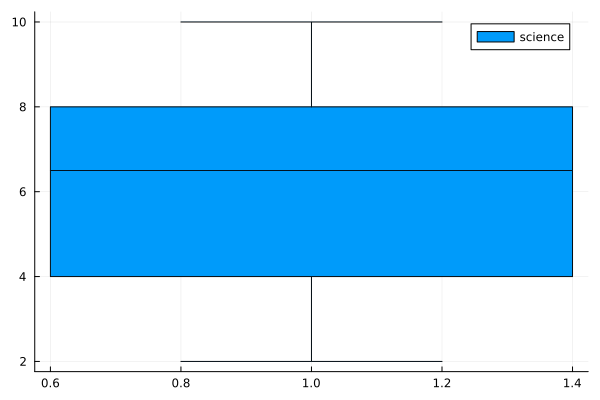
english = rand(1:10, n)
boxplot([science english], label=["science" "english"])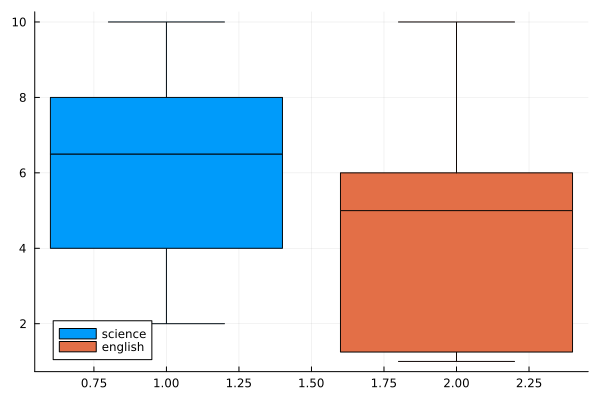
using Plots

xs = range(0, stop=2, length=50)
ys = range(0, stop=2, length=50)
f = (x , y) -> x^2 + y^2

contour(xs, ys, f)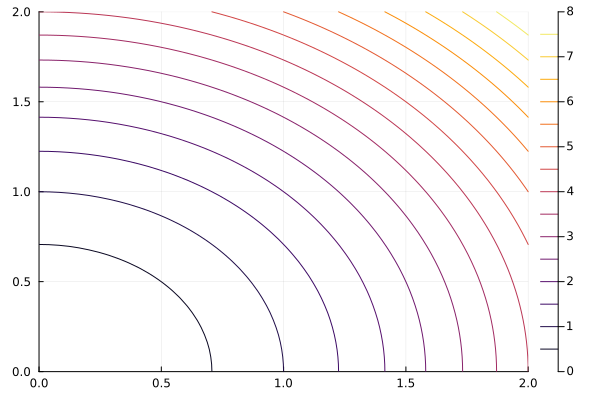
Nullclines
Nullclines (zero-growth isoclines) are curves where the derivative of one variable is zero. Nullclines are used to analyze evolution and stability of ODE systems.
using Plots

dx = (x, y) -> 3x - 1.4x*y
dy = (x, y) -> -y + 0.8x*y

myrange = -1:0.01:4

contour(myrange, myrange, dx, levels=[0], color=:red, legend=false)
contour!(myrange, myrange, dy, levels=[0], color=:blue, legend=false)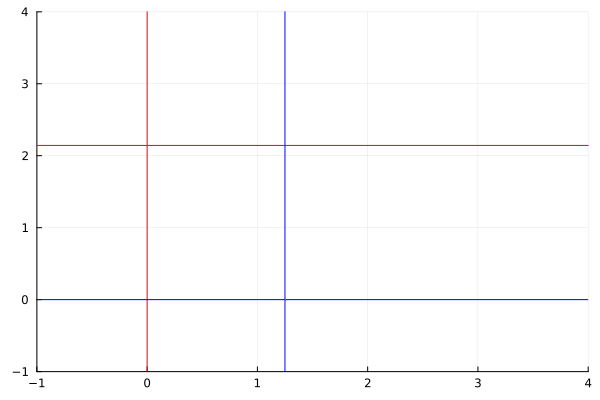
Contour plot over an array
contour(x1d, y1d, xy2d)
# Notice xs is transposed
# This makes zz a 2D matrix
zz = f.(xs', ys)
contour(xs, ys, zz)
Filled Contour Plots
contour(xs, ys, f, fill=true)contourf(xs, ys, f)
contour(0:0.01:5, 0:0.01:5, (x, y) -> sin(3x) * cos(x+y), xlabel="x", ylabel="y", fill=true)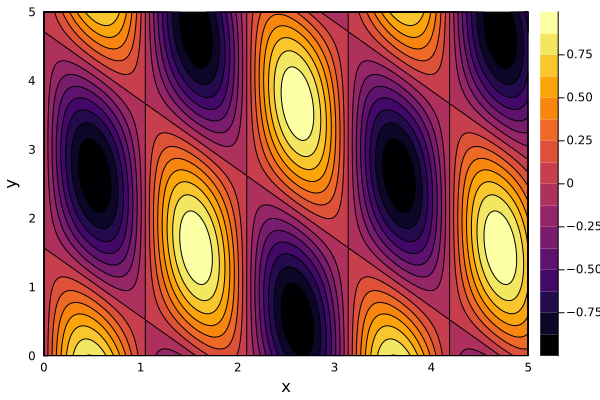
Datetime plot
Use
Datespackage andDatadata typeCustomize ticks
using Plots
using Dates

days = 31
position = cumsum(randn(days))
x = Date(2018,1,1):Day(1):Date(2018,1,31)
ticks = [x[i] for i in 1:5:length(x)]

plot(x, position,
     xlabel="Date",
     ylabel="Position",
     title="Track of random walker",
	 legend=nothing,
     xticks=ticks,
     xrotation=45,
     bottom_margin=10Plots.mm,
     left_margin=5Plots.mm)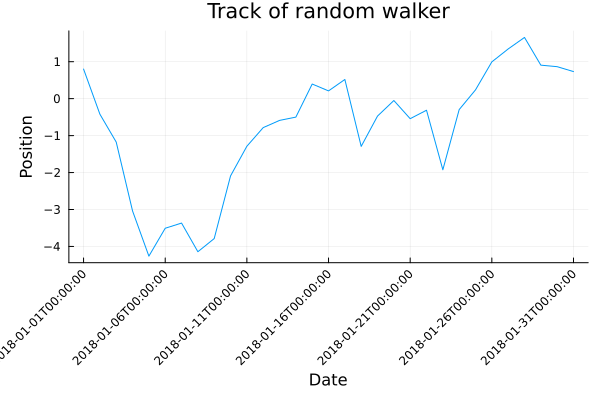
Error bar
plots(..., xerr=xerr, yerr=yerr)
using Plots

f = x -> 2 * x + 1
x = 0:0.1:2
n = length(x)
y = f.(x) + randn(n)

plot(x, y,
    xerr=0.1 * rand(n),
    yerr=rand(n),
	legend=nothing)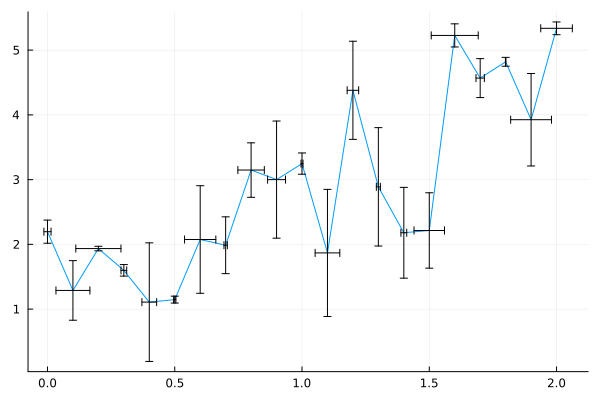
Heatmap
heatmap(data)
using Plots

a = rand(5,5)
xlabel = string.(collect('A':'E'))
ylabel = string.(collect('a':'e'))
heatmap(a, xticks=(1:5, xlabel),
           yticks=(1:5, ylabel),
           aspect_ratio=:equal)

fontsize = 15
nrow, ncol = size(a)

# Add number annotations to plots
ann = [(i,j, text(round(a[i,j], digits=2), fontsize, :white, :center))
            for i in 1:nrow for j in 1:ncol]

annotate!(ann, linecolor=:white)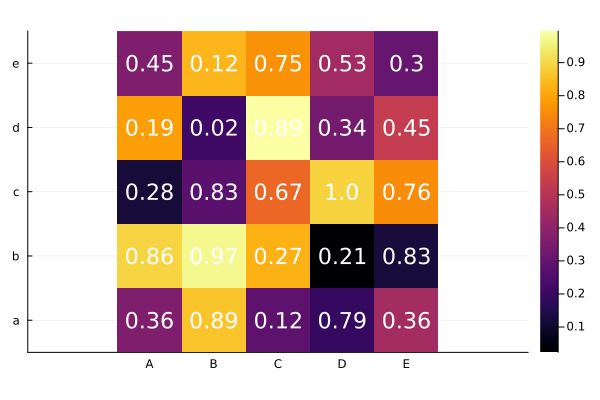
Line plots
using Plots
plot(x, y)
plot(f, xRange)
plot(f, xMin, xMax)
plot(x, [y1 y2])
using Plots
# Data
x = 0:0.1:2pi
y1 = cos.(x)
y2 = sin.(x)
# Creating a plot in steps
plot(x, y1, color="blue", linewidth=3)
plot!(x, y2, color="red", line=:dash)
title!("Trigonometric functions")
xlabel!("angle")
ylabel!("sin(x) and cos(x)")
plot!(xlims=(0,2pi), ylims=(-2, 2), size=(600, 600))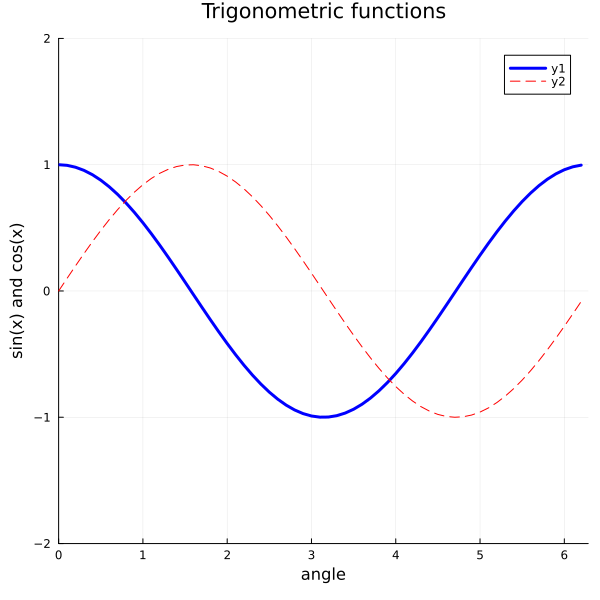
plot(x, y1, line=(:blue, 3))
plot!(x, y2, line=(:dash, :red))

# Use keywords to set the options all in one plot() call
plot!(title="Trigonometric functions",
        xlabel="angle",
        ylabel="sin(x) and cos(x)",
        xlims=(0,2pi), ylims=(-2, 2), size=(600, 600))
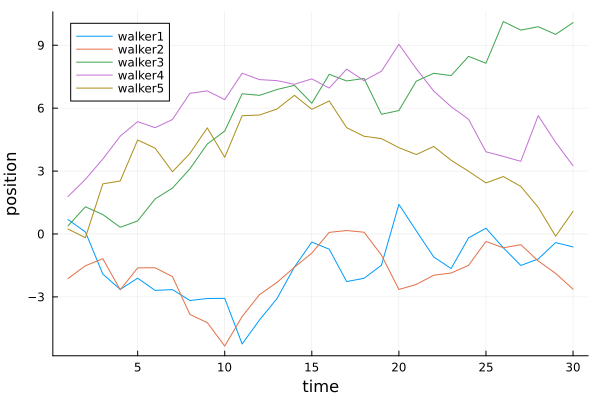
Plotting multiple series
One row = one observation
One column = one species
time = 30
walker1 = cumsum(randn(time))
walker2 = cumsum(randn(time))
walker3 = cumsum(randn(time))
walker4 = cumsum(randn(time))
walker5 = cumsum(randn(time))
plot(1:time, [walker1 walker2 walker3 walker4 walker5],
    xlabel="time", ylabel="position",
    label=["walker1" "walker2" "walker3" "walker4" "walker5"],
    legend=:topleft
)
Parametric plots
Functions can be plotted directly.
plot(f, xmin, xmax)plot(f, range_of_x)plot(fx(t), fy(t), range_of_t)
let
    f = x -> 5exp(-x^2)
    g = x -> x^2
    plot([f, g], -3, 3, label=["f" "g"], legend=:top)
end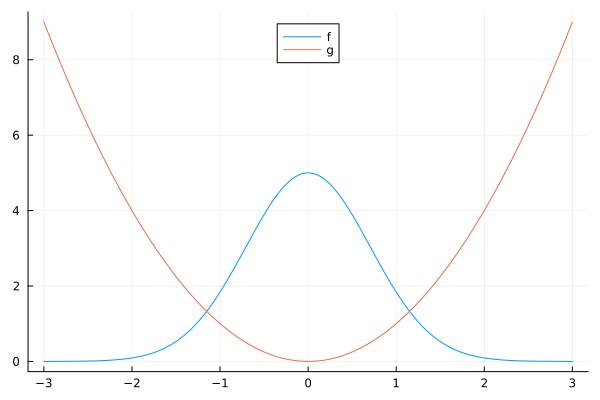
plot(sin, t->sin(2t), 0, 2π, leg=false, fill=(0,:orange))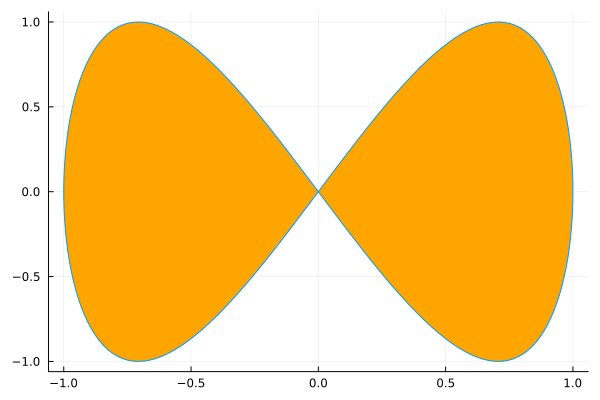
plot(cos, sin, t -> sin(5t), 0, 2pi, legend=nothing)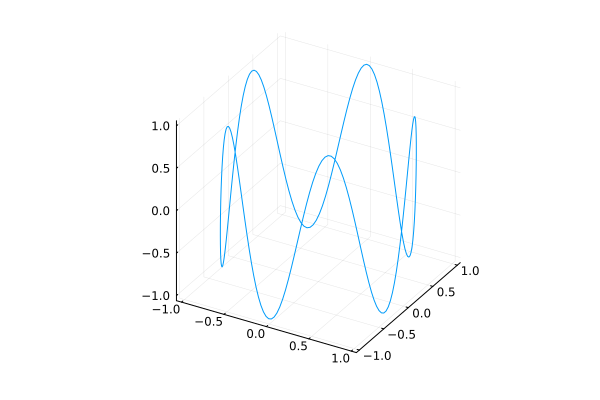
Line colors
plot(x, y, c=color)
using Plots
using SpecialFunctions

x = 0:0.2:10
y0 = besselj.(0,x)
y1 = besselj.(1,x)
y2 = besselj.(2,x)
y3 = besselj.(3,x)
y4 = besselj.(4,x)
y5 = besselj.(5,x)
y6 = besselj.(6,x)
colors = [:red :green :blue :cyan :magenta :yellow :black]
plot(x, [y0 y1 y2 y3 y4 y5 y6], c=colors)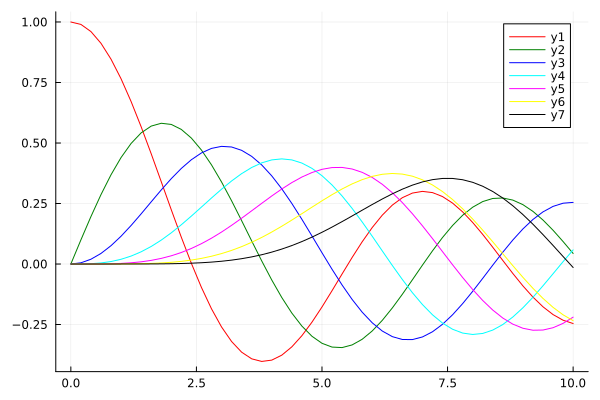
Line styles
using Plots
@show Plots.supported_markers();
@show Plots.supported_styles();
Plots.supported_markers() = [:+, :auto, :circle, :cross, :diamond, :dtriangle, :heptagon, :hexagon, :hline, :ltriangle, :none, :octagon, :pentagon, :pixel, :rect, :rtriangle, :star4, :star5, :star6, :star7, :star8, :utriangle, :vline, :x, :xcross]
Plots.supported_styles() = [:auto, :dash, :dashdot, :dashdotdot, :dot, :solid]
style = Plots.supported_styles()[2:end]
style = reshape(style, 1, length(style))
plot(x, [y0 y1 y2 y3 y4], line=(3, style))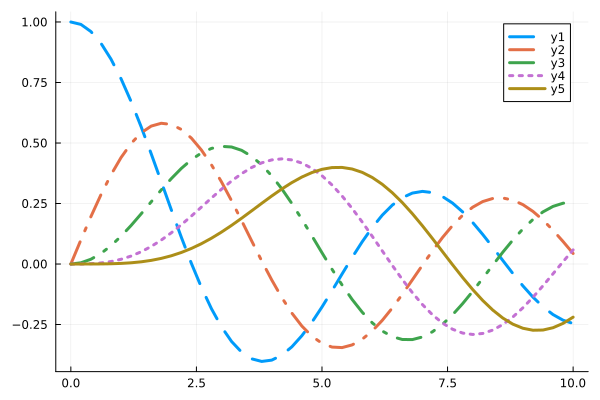
Polar Plots
plot(θ, r, proj=:polar)
using Plots
plot(θ -> 1 + cos(θ) * sin(θ)^2, 0, 2π, proj=:polar, lims=(0, 1.5))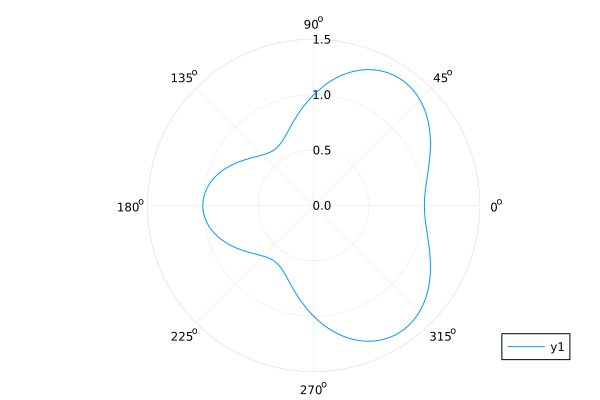
Rose Plots
plot(..., proj=:polar, line=:steppre)
n = 24
R = rand(n+1)
plot(0:2pi/n:2pi, R, proj=:polar, line=:steppre, lims=(0, 1), legend=nothing)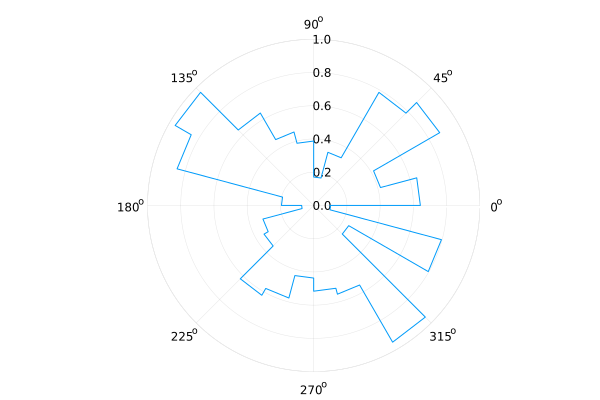
Quiver Plots
quiver(x1d, y1d, quiver=(vx1d, vy1d)quiver(x2d, y2d, quiver=(x, y)->(u, v))
using Plots

n = 7
f = (x,y) -> hypot(x, y) |> inv

x = repeat(-3:(2*3)/n:3, 1, n) |> vec
y = repeat(-3:(2*3)/n:3, 1, n)' |> vec
vx = f.(x,y) .* cos.(atan.(y,x)) |> vec
vy = f.(x,y) .* sin.(atan.(y,x)) |> vec
quiver(x, y, quiver=(vx, vy), aspect_ratio=:equal)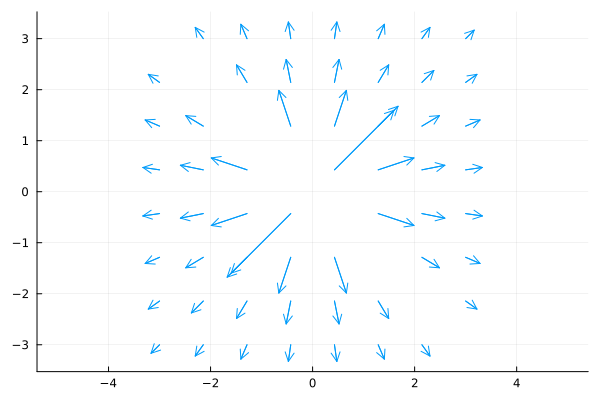
g = (x, y) -> [f(x,y) * cos(atan(y,x)), f(x,y) * sin(atan(y,x))]
xx = [x for y in -3:(2*3)/n:3, x in -3:(2*3)/n:3]
yy = [y for y in -3:(2*3)/n:3, x in -3:(2*3)/n:3]
quiver(xx, yy, quiver=g, aspect_ratio=:equal, color=:black)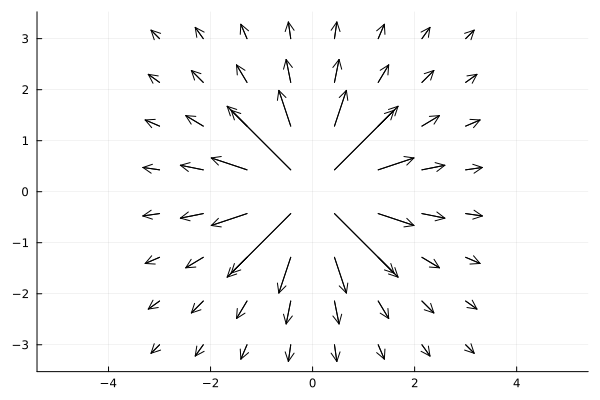
Scatter Plots
2D Scatter Plots: scatter(xpos, ypos)
using Plots

n = 50
x = rand(n)
y = rand(n)
ms = rand(50) * 30
scatter(x, y, markersize=ms)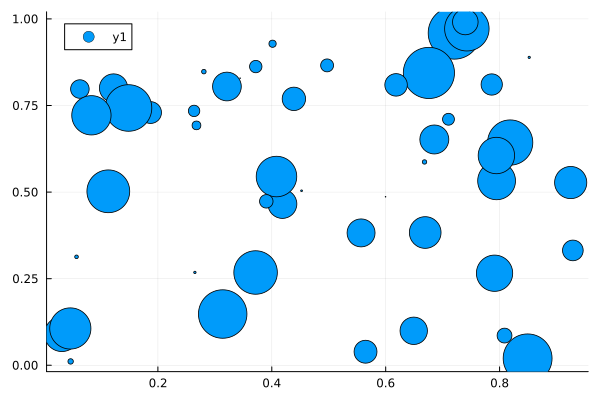
3D Scatter Plots: scatter(xpos, ypos, zpos)
scatter(x, y, rand(n), markersize=ms)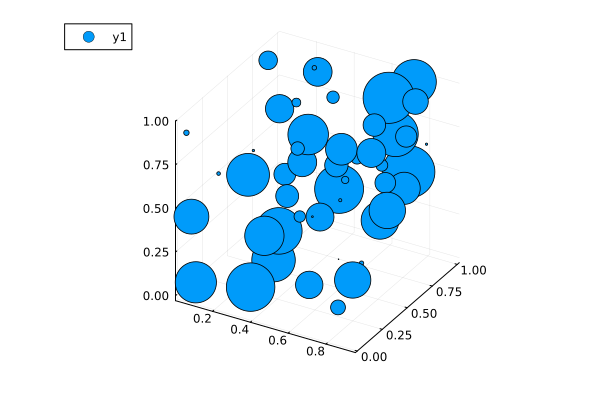
Shared Color bar
The trick is to
make an blank scatter plot for the colorbar.
use a dedicated space in the layout for the colorbar.
using Plots

x1 = range(0.0, 1.0, length=51)
y1 = range(-1.0, 0.0, length=51)
z1 = sin.(4*pi.*x1)*cos.(6*pi.*reshape(y1, 1, :))

x2 = range(0.25, 1.25, length=51)
y2 = range(-1.0, 0.0, length=51)
z2 = 2.0.*sin.(4*pi.*x2)*cos.(6*pi.*reshape(y2, 1, :))

x3 = range(0.0, 1.0, length=51)
y3 = range(-1.25, -0.25, length=51)
z3 = 3.0*sin.(4*pi.*x3)*cos.(6*pi.*reshape(y3, 1, :))

x4 = range(0.25, 1.25, length=51)
y4 = range(-1.25, -0.25, length=51)
z4 = 4.0.*sin.(4*pi.*x4)*cos.(6*pi.*reshape(y4, 1, :))

clims = extrema([z1; z2; z3; z4])

p1 = contourf(x1, y1, z1, clims=clims, c=:viridis, colorbar=false)
p2 = contourf(x2, y2, z2, clims=clims, c=:viridis, colorbar=false)
p3 = contourf(x3, y3, z3, clims=clims, c=:viridis, colorbar=false)
p4 = contourf(x4, y4, z4, clims=clims, c=:viridis, colorbar=false)

h2 = scatter(
    [0,0], [0,1], zcolor=[0,3], clims=clims,
    xlims=(1,1.1), label="", c=:viridis,
    colorbar_title="cbar", framestyle=:none)

l = @layout [grid(2, 2) a{0.035w}]

p_all = plot(p1, p2, p3, p4, h2, layout=l, link=:all)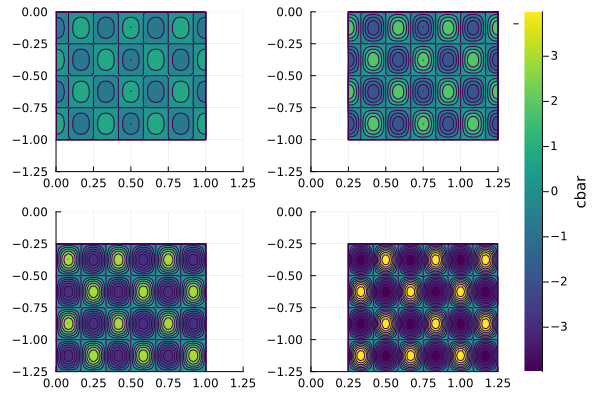
Stairstep plot
plot(..., line=:steppre)
plot(sin.(0:0.3:2pi), line=:steppre, label="Steps")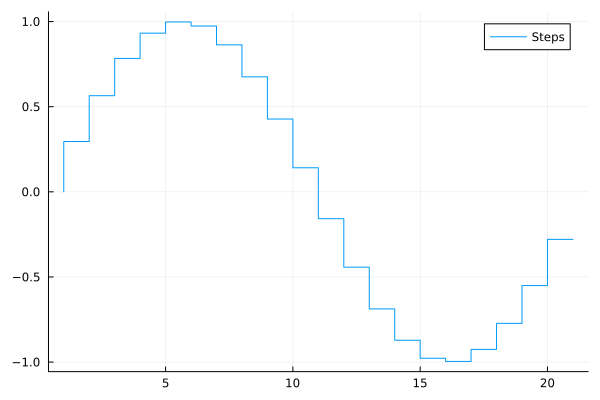
plot(sin.(0:0.3:2pi), line=:stem, marker=:star, markersize=20, ylims=(-1.1, 1.1), label="Stars")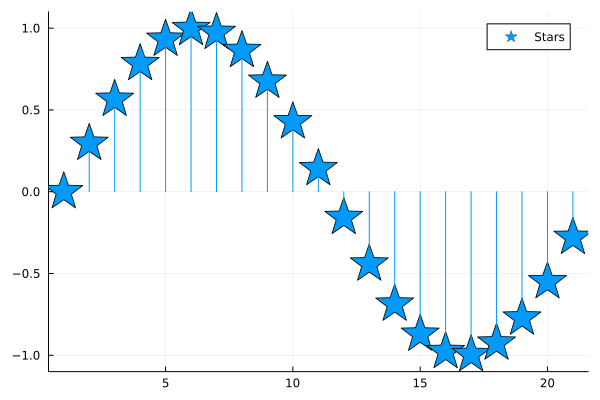
using Plots

data = rand(100, 4)
100×4 Matrix{Float64}:
0.709981 0.973362 0.516176 0.363075
0.761391 0.388399 0.193247 0.724163
0.75949 0.815402 0.0369112 0.137228
0.761702 0.902961 0.330324 0.455833
0.795277 0.416984 0.945352 0.176323
0.586307 0.286339 0.499248 0.0763004
0.276137 0.765012 0.594053 0.294608
0.84172 0.687983 0.841599 0.620266
0.847136 0.393362 0.305451 0.216803
0.380462 0.687962 0.794865 0.127923
⋮
0.378577 0.106089 0.691953 0.777491
0.0571538 0.977407 0.276459 0.607869
0.674539 0.610381 0.236658 0.662346
0.278811 0.179141 0.604079 0.515615
0.695049 0.514618 0.438862 0.922791
0.924816 0.210846 0.912419 0.860384
0.508744 0.798775 0.132198 0.429291
0.5701 0.786537 0.709826 0.66473
0.83062 0.233978 0.425281 0.375258create a 2x2 grid, and map each of the 4 series to one of the subplots
plot(data, layout = 4)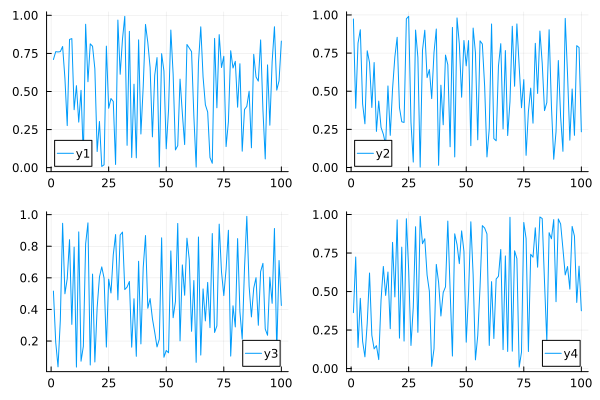
More complex grid layouts can be created with the grid(...) constructor:
plot(data, layout = grid(4, 1, heights=[0.1 ,0.4, 0.4, 0.1]))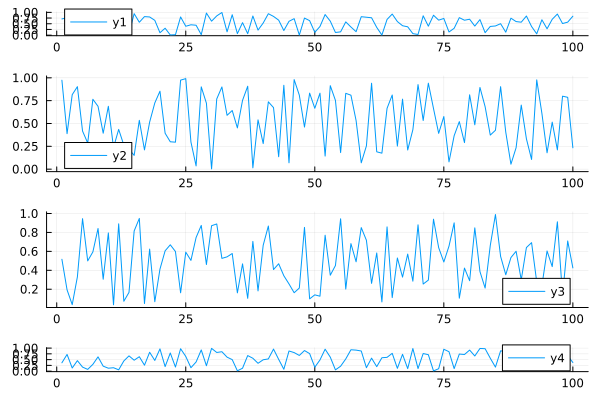
Adding titles and labels
plot(data, layout = 4, label=["a" "b" "c" "d"], title=["1" "2" "3" "4"])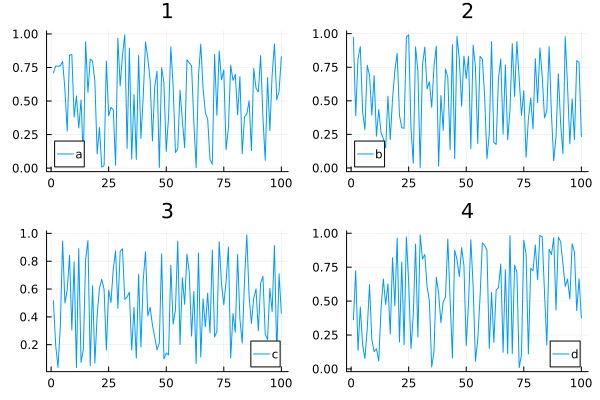
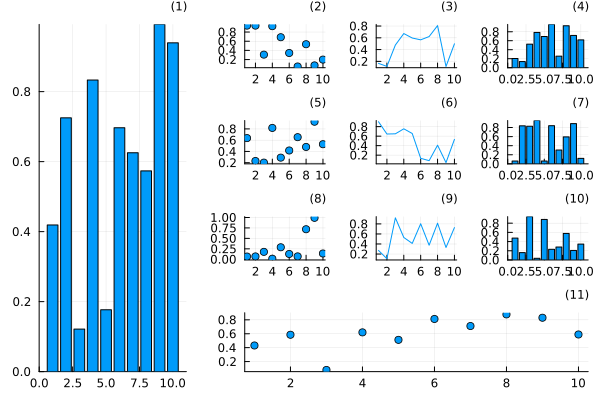
Use @layout macro
l = @layout [
    a{0.3w} [grid(3,3)
             b{0.2h}  ]
]
plot(
    rand(10, 11),
    layout = l, legend = false, seriestype = [:bar :scatter :path],
    title = ["($i)" for j in 1:1, i in 1:11], titleloc = :right, titlefont = font(8)
)
Use _ to ignore a spot in the layout
plot((plot() for i in 1:7)..., layout=@layout([_ ° _; ° ° °; ° ° °]))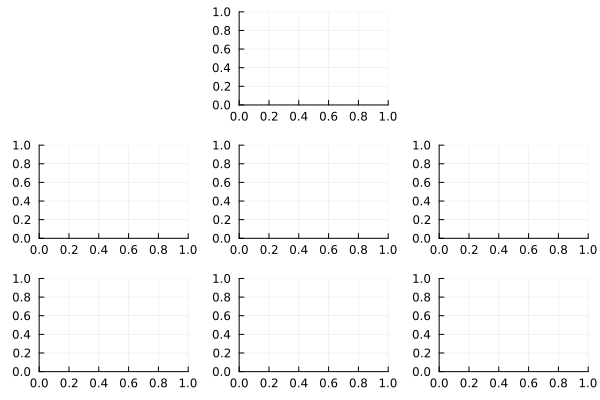
Build subplots one by one
p1 = plot(sin, 0, 2pi, xlabel="x1")
p2 = plot(cos, 0, 2pi, xlabel="x2")
p3 = histogram(randn(1000), xlabel="x3")
p4 = plot(x->exp(-x^2), -3, 3, xlabel="x4")
plot(p1, p2, p3, p4)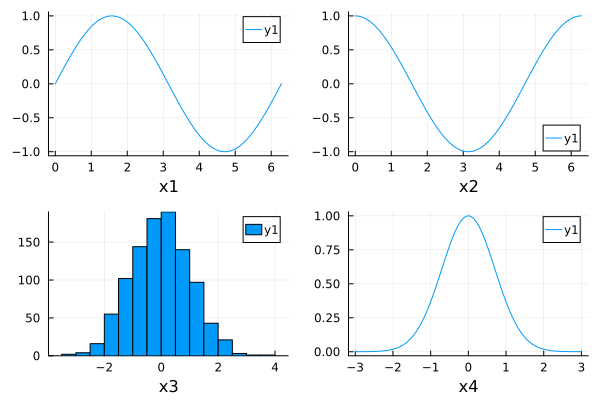
Surface plots
surface(x, y, z)surface(x, y, (x,y)->z)plot(x, y, z, linetype=:surface)plot(x, y, z, linetype=:wireframe)
using Plots

x = y = -10:10
f = (x , y) -> x^2 + y^2

surface(x, y, f)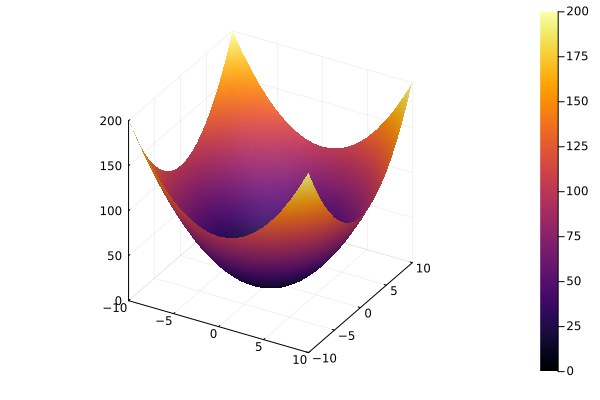
surface style
plot(x, y, f, linetype=:surface)wireframe style
plot(x, y, f, linetype=:wireframe)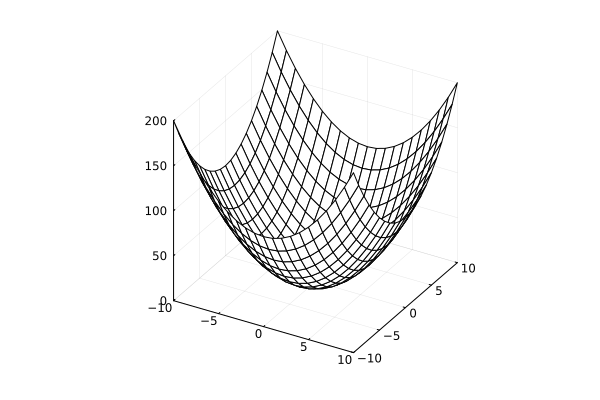
Twin Y Axis
plot!(twinx())
using Plots

plot(randn(100), ylabel="y1", leg=:topright)
plot!(
    twinx(), randn(100)*10,
    c=:red,
    ylabel="y2",
    leg=:bottomright,
    size=(600, 400)
)
plot!(right_margin=15Plots.mm)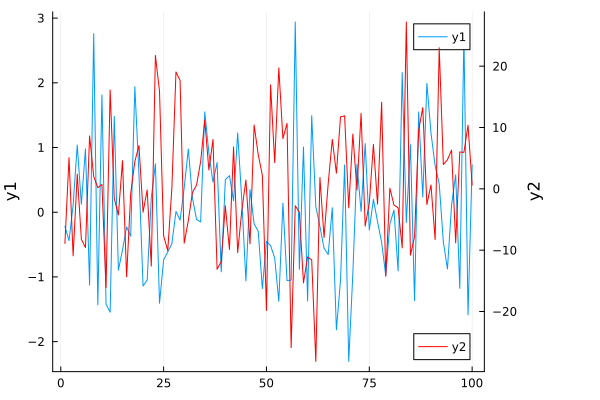
Animations
using Plotsdefine the Lorenz attractor
Base.@kwdef mutable struct Lorenz
    dt::Float64 = 0.02
    σ::Float64 = 10
    ρ::Float64 = 28
    β::Float64 = 8/3
    x::Float64 = 1
    y::Float64 = 1
    z::Float64 = 1
end

function step!(l::Lorenz)
    dx = l.σ * (l.y - l.x)
    dy = l.x * (l.ρ - l.z) - l.y
    dz = l.x * l.y - l.β * l.z
    l.x += l.dt * dx
    l.y += l.dt * dy
    l.z += l.dt * dz
end

attractor = Lorenz()
Main.var"##280".Lorenz(0.02, 10.0, 28.0, 2.6666666666666665, 1.0, 1.0, 1.0)initialize a 3D plot with 1 empty series
plt = plot3d(
    1,
    xlim = (-30, 30),
    ylim = (-30, 30),
    zlim = (0, 60),
    title = "Lorenz Attractor",
    marker = 2,
)

plt
pushing new points to the plot
anim = @animate for i=1:1500
    step!(attractor)
    push!(plt, attractor.x, attractor.y, attractor.z)
end

mp4(anim, fps = 15)
[ Info: Saved animation to /tmp/jl_dWDEtwpej4.mp4
Output
https://
savefig("plot.pdf")The PDF format uses vector graphic format and conserves details.
Figure size e.g.
size=(750,750)affects relative fonts sizes.One can convert to other formats later using
pdftoppmorimagemagick.
Render Images
# using Pkg; Pkg.add("Images")

using Images
img1 = load("dog.jpg")
plot(img1)
This notebook was generated using Literate.jl.